ich habe mir heute das zweite DLC zu „The Binding Of Isaac: Rebirth“ gekauft und installiert. Seitdem funktioniert mein Spiel gar nicht mehr. Beim Start friert das Fenster des Spiels ein und meldet mir die Fehlermeldung, dass die exe nicht starten kann
Hab das Spiel selber nicht, aber hatte auch schon einige Male das Problem bei Steam.
Manchmal hat es mir geholfen, das Ding nicht über Steam zu öffnen, sondern ganz normal über die Ordner (während nicht aktiv ist). Manchmal auch als Administrator, oder in verschiedenen Kompatibilitätsmodi probiert.
If you’re seeing the DLL error with a Steam game, open the oalinst.exe file to install the missing DLL file.
To find this oalinst.exe file, first go to the folder where your Steam games are stored - it should be "…\Steam\SteamApps\common.…". In that „common“ folder, open the folder of the game where the openal32.dll error is being shown.
Once there, go into the folder called „_CommonRedist.“ In that folder, open the one called „OpenAL.“ There should be a folder titled with numbers, like „2.0.7.0“ - in that folder is where you’ll find the oalinst.exe file.
Double-click or double-tap that EXE file to install the missing DLL.
Note: If you can’t find the oalinst.exe file in the folder above, you might try searching through the whole computer at once with a file search utility like Everything.
bei Problemen mit einem Steamspiel ist es ratsam auch in den steaminternen Gamehub und die Discussions zu schauen - dort findet man meistens auch eine Lösung.


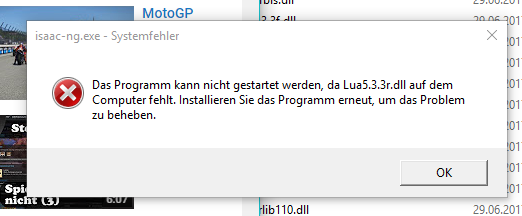
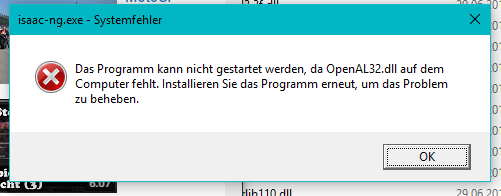
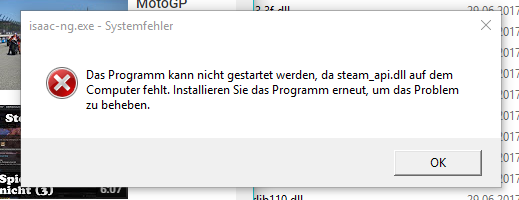
 Aber ich musste mehrere Dinge ausprobieren